I'VE MOVED

http://www.pillowgirlscraps.com
the site so cool I put my name on it lol

I'VE MOVED

http://www.pillowgirlscraps.com
the site so cool I put my name on it lol

I'VE MOVED

http://www.pillowgirlscraps.com
the site so cool I put my name on it lol

I'VE MOVED

http://www.pillowgirlscraps.com
the site so cool I put my name on it lol

I'VE MOVED

http://www.pillowgirlscraps.com
the site so cool I put my name on it lol

I'VE MOVED

http://www.pillowgirlscraps.com
the site so cool I put my name on it lol
I'VE MOVED

http://www.pillowgirlscraps.com
the site so cool I put my name on it lol
Showing posts with label Tutorials. Show all posts

Friday, June 13, 2008

Commercial Use Overlays... Sample included

I have been really saving up overlays for a long time, so when I set out to start sharing my stash, I had no idea what a big task that would be! I have a few more new overlay packs that I put in the store over the past few days. And I have had a few people ask me a bit about how to achieve different looks, so I decided to do a freebie and show you in the preview some of the different blend modes at work.

First let me show you what I have going on in my store because if you act today, you can save a bundle.

My new Overlay Packs are included in this special coupon, so if you like any of the new products below, use this coupon today to save :) Just click the image to go to it in the store, and remember to use the coupon during checkout.

An Overlay Special: All Natural

17 overlays created by Mother Nature herself, and presented by Pillowgirl. These overlays are created from photos of different textures and patterns found in nature. You can easily use these for papers, or set them as apttern files for your elements. Use blending modes to really create depth.6 Fibrous Paper Overlays

These paper overlays will create the look of handmade artsy paper with fibers and inclusions in it. Fantastic texture and detail.

Pillowgirl's Patterns
This pack of ecclectic patterns is completely original and created by me. You can use them to create several different style kits, and combine them with texture and color to make a ton of different style papers. Try painting the doodles to create multicolor overlays of them, or just use them as they are for a doodled overlay effect. Several are hand doodled, so you won't find them anywhere else. For 35 cents a piece, you can't go wrong!

And a FREE SAMPLE!!!

This Chalky overlay has just enough texture to lean to the grungy side, but can be toned down to be quite elegant (try a screen mode). below you see in the preview, you can use different lend modes to really change the look of an overlay. So 1 overlay can make gosh, like 20 papers with just a little blend mode shifting. And then if you layer it, duplicate it, etc. it adds even more options. Overlays can be a designer's best friend. And they are not just for papers! Use an overlay and a clipping path and make your elements have the same textures and styles.

Now go download this beautiful overlay here, and try it out for yourself. You can do oodles of things with it. Tell your friends to come get it, it's commercial use and no credit required. Just promise you will try those different blend modes and if you love this overlay, think about getting some of my overlays that are in the store. I have the best prices for CU around, or so I am told a lot.

Friday, June 15, 2007

Scrapbook Essentials: Reposting Shape Templates

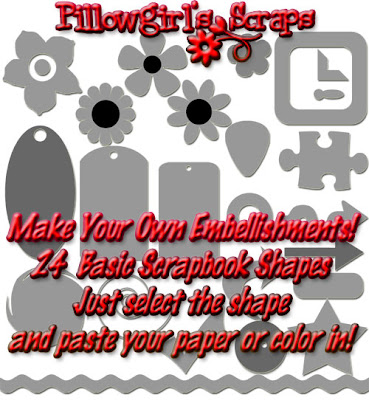
For those of you who are looking for some more "Essentials" I thought I would repost the Shape Templates I put out in March. These are great because you can easily make your own custom shapes in any paper you choose.
Here's How to Use Them in Photoshop:

1. Open the Shape Template that you wish to recreate.

2. Use your magic wand to select the shape.

3. Open the paper file you want to use.

4. Select All on the Paper file, then copy it with Ctrl+C or in your Edit menu.

5. Switch back to the shape file and choose Edit, Paste Into.

6. Merge your layers and VIOLA a custom shape in the paper of your choice!


Here are my Shape Templates. Play around with them. You might be surprised at what you can do with them now that you know how!

DOWNLOAD EXPIRED: Watch for them in my shop.

Copyright Notice

All works on this site are copyright "Pillowgirl" aka Elizabeth Blust. If they are offered for free download, please respect and follow the Terms of Use that comes with the file. It is AGAINST MY TOU to redistribute these files. It is also against my TOU for you to direct folks straight to my 4shared link. Please send them to this blog directly to get the links.
I will be more clear even: It is against my TOU for you to take my file, reupload it to 4shared or any other file sharing site, and redistribute it. It is against my TOU for you to take my file, put it in a zip with other files, then upload and share it on another site. It is against my TOU for you to take one paper out of my kit, put it with your tutorial, and redistribute it on another site. It is against my TOU for you to make Quickpages with my designs and redistribute the quickpage on your site (unless I gave you permission in email or writing.) It is against my TOU for you to print out my file, rescan it, then put it up as your own, or even with credit to me, and redistribute it.
Man, it's sad that I have to be that blunt.